
June 13, 2026
Production Deploy, EEAT SEO Rewrite, FAQ Expansion & JSON-LD Finalization
EEAT-Compliant Homepage Content Rewrite
The homepage underwent a complete EEAT-compliant SEO content rewrite. The Title, Meta Description, H1, and a new semantic H2 sub-headline were restructured around action verbs and a 160-character value proposition. Content sections were rebuilt with enumerated subsections, function-level technical references, formal standards citations (RFC 8259/ECMA-404, RFC 4180, YAML 1.2, W3C XML 1.0), and expanded privacy architecture evidence (zero fetch/XHR/WebSocket calls across ~956 lines of source).
FAQ Expansion — 5 → 10 High-Density Technical Q&A Items
The FAQ section was expanded from 5 to 10 items to improve long-tail keyword coverage and user intent matching. New entries cover CSV-to-JSON (RFC 4180 parser, inconsistent columns), YAML-to-JSON (Docker Compose, Kubernetes, CI/CD), JSON-to-XML (tag sanitization, entity escaping), JSON flatten/unflatten (dot-path algorithm, ETL/NoSQL use case), maximum file size (500KB limit, jq/yq/xmlstarlet alternatives), and browser compatibility (versioned support matrix, js-yaml CDN graceful degradation).
JSON-LD Structured Data, Nginx Production Config, GA4 & Sitemap
JSON-LD: FAQPage block expanded to 10 Q&A items matching visible content. WebApplication alternateName array extended to 11 entries, WebSite alternateName synchronized to 10 entries, all blocks validated for schema.org compliance. Nginx: Production config deployed with server_name, TLS/.well-known paths, gzip_static, and PHP-FPM upstream. GA4: Measurement ID G-2NK5059S76 activated for anonymized page-view metrics. Sitemap & Robots: Regenerated with all canonical jcptool.com URLs.
June 12, 2026
Preview Canvas, Blob Download Pipeline & Responsive UI Component Library
Preview Canvas — A4-Proportioned 1:1.414 Output Panel with Tri-State Theming
The preview canvas was architected as a 1:1.414 (A4-proportioned) vertical panel with three visual states driven by showPreview(): success (green header + dark code body with syntax-highlighted tokens), error (red header with line:column diagnostics), and notice (blue header for validation-only runs). The panel is capped at max-height: 70vh with internal scroll, hidden via display:none until an operation completes.
One-Click Download — Blob API with Per-Format MIME Types & Object URL Lifecycle
The downloadResult() pipeline constructs a UTF-8 Blob with the correct IANA MIME type (application/json, text/csv, application/x-yaml, or application/xml), mints a temporary object URL via URL.createObjectURL(), triggers the browser Save-As dialog, then immediately revokes the URL. The filename follows the converted.{ext} convention via getExtension(). The button appears only after successful conversion and is re-hidden on clear/error.
CSS Component Library — 8 Named UI Primitives with Design Token Consistency
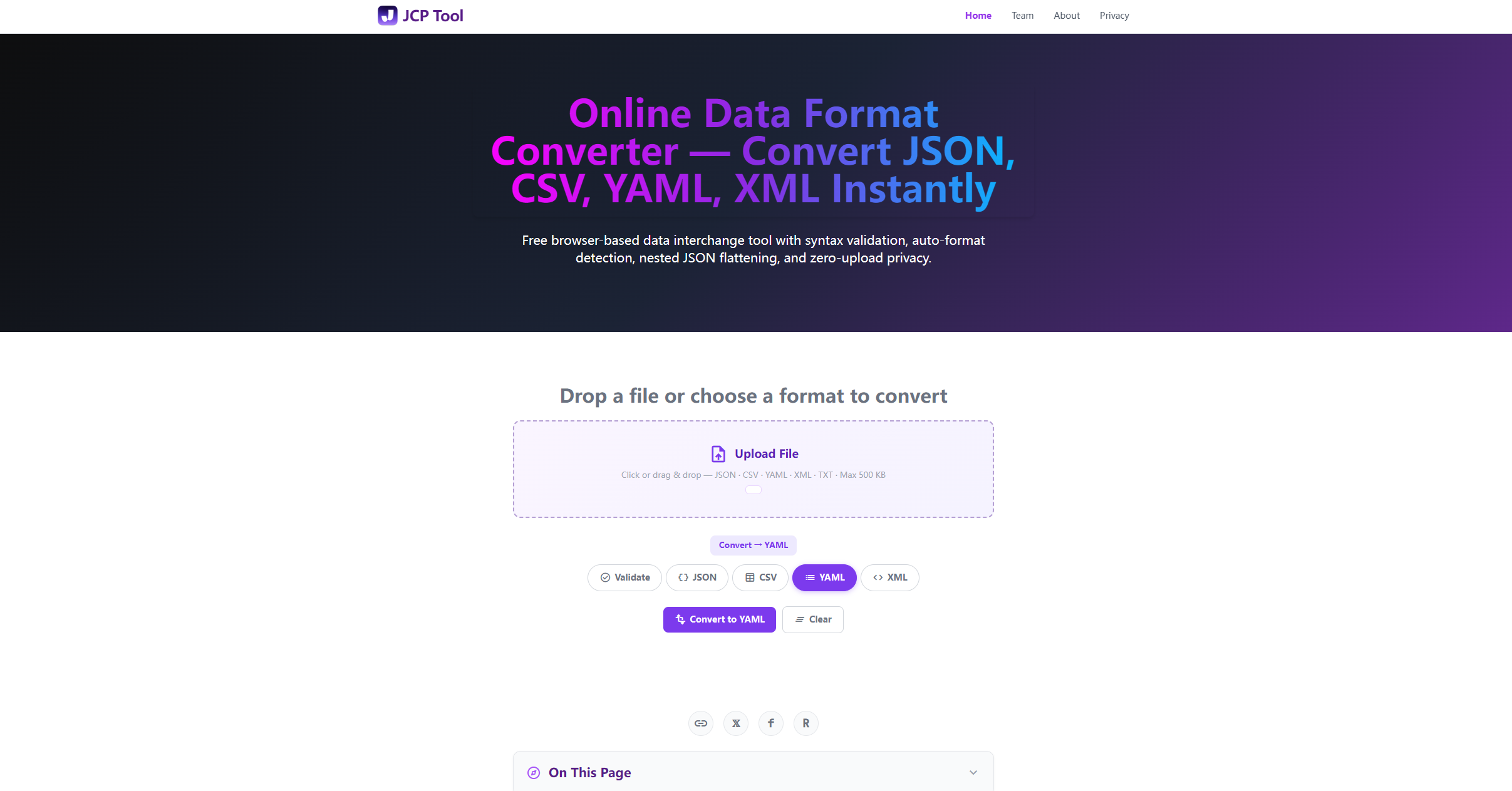
Eight named CSS primitives were designed for the converter interface: .fmt-pills/.fmt-pill (mode toggles with Material Symbols, purple active fill, lift-on-hover), .converter-mode-label-above-pills (current mode badge above format pills), .converter-file-upload-bar (full-width dashed-border upload bar), .converter-textarea (monospace, auto-resize, drag-drop), .flatten-check-label (conditional checkbox for CSV/YAML/XML targets), .preview-canvas (colored-state output card), .converter-download-btn (gradient CTA with hover animation), and .drag-over (border highlight during drag events). All collapse gracefully at the 640px mobile breakpoint.
June 11, 2026
Auto-Format Detection Engine, 12-Path Conversion Matrix & Two-Step UX Workflow
Auto-Detection Heuristic — Ordered Parse Ladder with False-Positive Minimization
The detectFormat() function implements a strictness-ordered parse ladder calibrated by grammar permissiveness: JSON first (JSON.parse() — most strict, near-zero false positives), XML second (DOMParser + querySelector('parsererror') filter for malformed markup), YAML third (js-yaml load() in try/catch, placed after JSON/XML due to its permissive syntax), and CSV last (custom RFC 4180 tokenizer gated on minimum comma/tab threshold to avoid single-word misclassification). First success wins via early exit.
Full Cross-Format Matrix — 4×3 = 12 Conversion Paths with Source-Agnostic Serializers
The convertTo() router dispatches to format-specific serializers that consume a normalized JavaScript object — not raw source text. Once parseInput() converts any source to a plain JS object, all four serializers (JSON.stringify, toCSV()→normalizeToTable(), jsyaml.dump(), toXML()→xmlSerialize()) operate on identical structures. This yields 12 conversion paths (4 sources × 3 targets). Adding a fifth format requires only one parser + one serializer — zero changes to existing paths.
Two-Step UX Flow — Mode Select → Execute → Conditional Preview → Conditional Download
The interaction model uses a two-step progressive-disclosure pipeline. Step 1 — Mode Selection: Format pills default to Validate; selecting a target format switches to Convert mode with dynamic button labels via setMode(). A flatten checkbox conditionally surfaces for CSV/YAML/XML targets. Step 2 — Execute: execute() calls parseInput(), then branches into validate (validateFormat() → notice/error preview) or convert (convertTo() → success/error preview). The download button appears only after successful conversion, and clearAll() resets all UI state atomically.
June 10, 2026
JSON Flatten/Unflatten System, XML DOM Serializer & Entity-Encoding Bugfix
JSON Flatten & Unflatten — Dot-Path Key Generation with Bracket Array Indexing
A bidirectional flatten/unflatten subsystem bridges deeply nested JSON with flat tabular formats. flattenJSON() performs recursive depth-first traversal, using dot separators for object keys (user.address.city) and bracket notation for array indices (items[0].name). unflattenJSON() reconstructs nested topology from compound keys. The flatten toggle surfaces as a conditional checkbox for CSV/YAML/XML targets and triggers automatic re-execution for instant before/after comparison. Essential for ETL pipelines and NoSQL-to-SQL migration.
XML ↔ JS Bridge — Recursive DOM Tree Walker with Attribute Preservation & Safe Serialization
The XML subsystem uses the browser's native DOMParser with a custom recursive converter pair. The xmlToJS()→parseNode() pipeline handles three W3C DOM node types: ELEMENT_NODE (recursive, attributes under @attributes key, single-child text collapsed), TEXT_NODE (trimmed, whitespace skipped), and CDATA_SECTION_NODE (raw preservation). The serializer toXML()→xmlSerialize() generates well-formed XML with tag sanitization via xmlSafeTag() and full entity escaping via xmlEscape().
Critical Bugfix — HTML Entity Decoding During File Write Corrupted Escape Functions
A severe encoding corruption was discovered: the file-writing toolchain was decoding HTML entities in replacement strings, causing xmlEscape() and escapeHtml() to become identity-mapped no-ops — the runtime code contained '&' : '&' instead of '&' : '&'. This was the same class of bug previously documented in text-tools.js. The fix used string concatenation ('&' + 'amp;') to prevent the tool from recognizing the combined token, applied across all five entity mappings. Without this fix, any data with HTML special characters would cause preview-canvas rendering corruption.
June 9, 2026
RFC 4180 CSV Tokenizer, js-yaml CDN Integration & Client-Side-Only Privacy Architecture
Custom CSV Parser — RFC 4180 Tokenizer with Quoted-Field State Machine
A hand-rolled RFC 4180 CSV parser was built from first principles to handle real-world spreadsheet exports. Two cooperating functions: csvSplitLines() tracks quote state across newlines so embedded line breaks in quoted cells remain one logical row; parseCSVLine() implements a three-state character-by-character tokenizer handling quoted fields, escaped quotes (""→"), empty fields, and embedded delimiters. Detection is gated on a minimum comma/tab threshold to prevent single-word misclassification.
YAML Support — js-yaml v4.1.0 via CDN with Graceful Degradation Path
YAML processing uses js-yaml v4.1.0 via CDN — the converter's only external dependency. tryYAML() wraps jsyaml.load() in try/catch; toYAML() calls jsyaml.dump() with { noRefs: true } for cleaner output. Graceful degradation: a typeof jsyaml === 'undefined' guard prevents ReferenceErrors when the CDN is blocked; YAML remains available as a target format from JSON/CSV/XML sources. JSON, CSV, and XML operate with zero network after initial page load.
Zero-Server Mandate — Every Operation Executes in the Browser, Nothing Leaves the Device
The platform was conceived under a zero-server-footprint mandate: no backend, API endpoints, cloud processing, database, or session storage. The entire computational surface — JSON.parse/stringify, custom CSV tokenizer, js-yaml load/dump, DOMParser + recursive DOM walk + XML serializer, auto-detection, flatten/unflatten, validation, Blob download — runs exclusively in the browser as vanilla JavaScript. The only post-load network request is the optional js-yaml CDN fetch. No input data, parsed structures, conversion results, or behavioral telemetry ever leave the device — verifiable via browser DevTools Network panel (zero XHR/fetch/WebSocket). Beyond the Cloudflare __cf_bm bot-detection token and anonymized GA4 page views, there is no tracking.
Contact
— E-mail: [email protected]
— Date of creation: June 9, 2026 • Last updated: June 13, 2026

We are the 345tool Team
345tool is an independent developer collective engineering elite, pure client-side, and privacy-first web utilities to replace bloated internet tools.